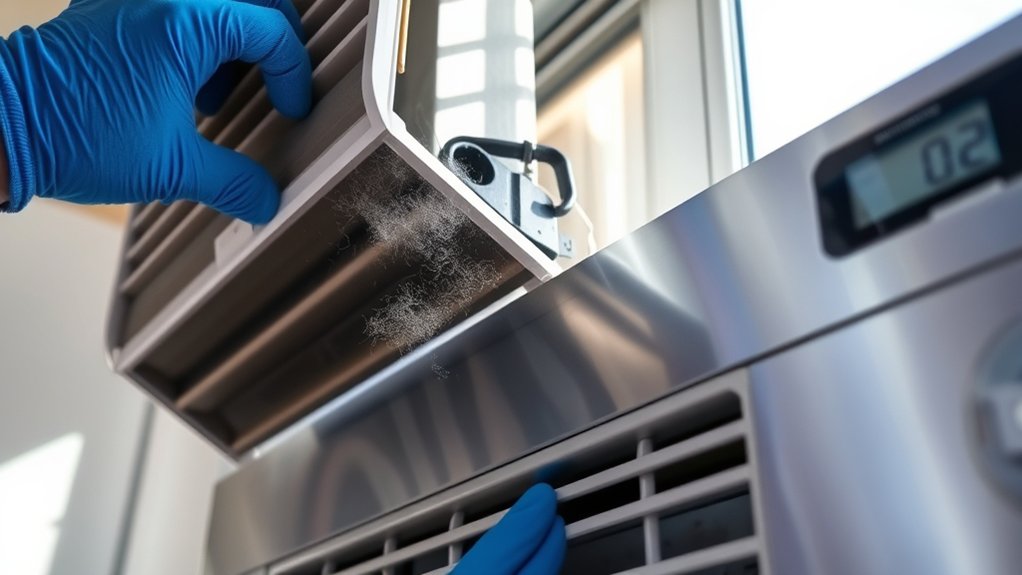
Fixing My Window AC Blowing Hot Air: Common Causes and Solutions
As an Amazon Associate, I earn from qualifying purchases. This post contains affiliate links. Which means I may earn a small commission when make a purchase through my links, at no additional cost to you.
Many people struggle with their window AC units blowing hot air when they expect cool relief. It’s frustrating and can make those hot summer days even worse. If you’re facing this issue, you’re not alone, and there are simple steps to get your AC back on track.
If your window AC is blowing hot air, check that your thermostat is set correctly and the unit isn’t in heat mode.
Inspect and replace dirty filters and make sure vents are clear of obstructions.
Also, verify the condenser coils are clean and the unit has proper ventilation.
Make certain the AC is getting power and look for refrigerant leaks if cooling still doesn’t improve.
For more detailed solutions, you’ll find additional tips below.
Key Takeaways
- Check and adjust the thermostat settings to make sure the unit is set to cool below the room temperature.
- Inspect and clean or replace the air filters to keep airflow clear and improve cooling.
- Verify that the unit is installed correctly, sealed well, and that there are no obstructions around vents or outside the unit.
- Look for refrigerant leaks by listening for hissing sounds and contact a professional if you suspect a leak.
- Make sure the unit has proper electrical power. Reset circuit breakers or replace faulty outlets if needed.
Why Is My Window AC Blowing Hot Air? Common Causes
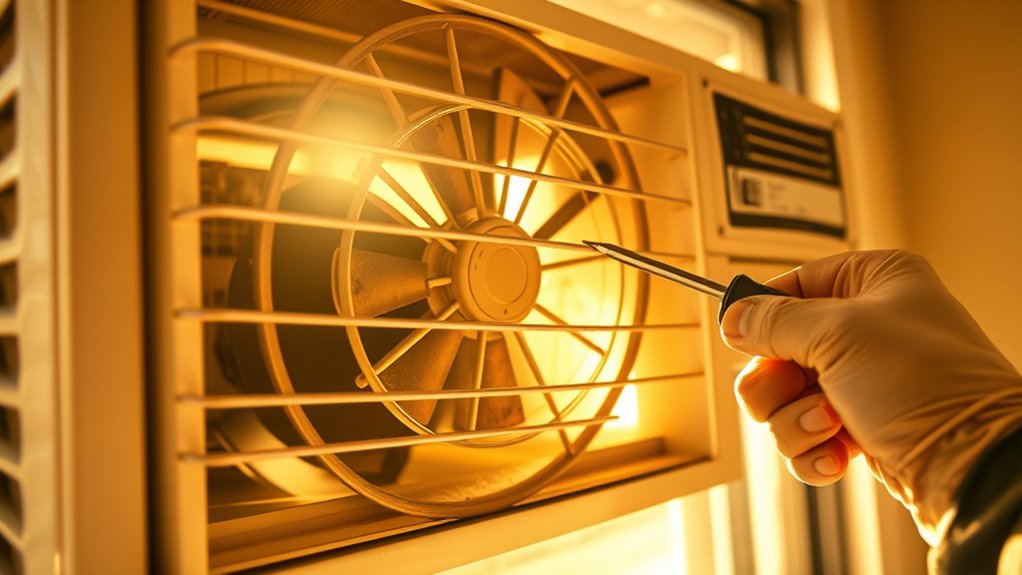
When your window AC starts blowing hot air instead of cool, it can be really frustrating. A common cause is poor window placement, which can affect airflow and cooling efficiency.
If the unit isn’t properly sealed or is installed in a spot with lots of sunlight or obstructions, it struggles to cool effectively. Noise issues can sometimes be mistaken for cooling problems.
Excessive vibrations or rattling sounds might mean loose or misaligned parts, which can reduce the unit’s ability to work properly.
If the AC is installed too close to heat sources or in a shaded area, it might not perform well.
Making sure your window unit is securely mounted, tightly sealed, and placed in a shaded, clear spot can help improve cooling.
Fixing these placement and noise issues can restore your AC’s ability to produce cold air and keep your space comfortable.
How to Check and Adjust Your Thermostat Settings
Is your window AC blowing hot air even when it should be cooling? The first thing to do is check your thermostat settings. Make sure the temperature is set lower than the current room temperature.
Check your thermostat settings and ensure the temperature is set below the room temperature for effective cooling.
If your thermostat has a manual dial, verify it’s calibrated correctly. Incorrect calibration can cause the AC to run improperly. For smart thermostats, ensure they’re integrated properly with your AC system and that the app settings match your desired temperature.
Here are some tips to get started:
- Confirm the thermostat’s temperature setting is below room temperature.
- Check for any programming schedules that might override your settings.
- Adjust the thermostat calibration if the reading seems off.
- For smart thermostats, ensure they’re connected and synchronized with your AC.
Proper thermostat calibration and smart thermostat integration are key to making sure your AC cools efficiently.
Inspecting and Replacing Your Air Filter
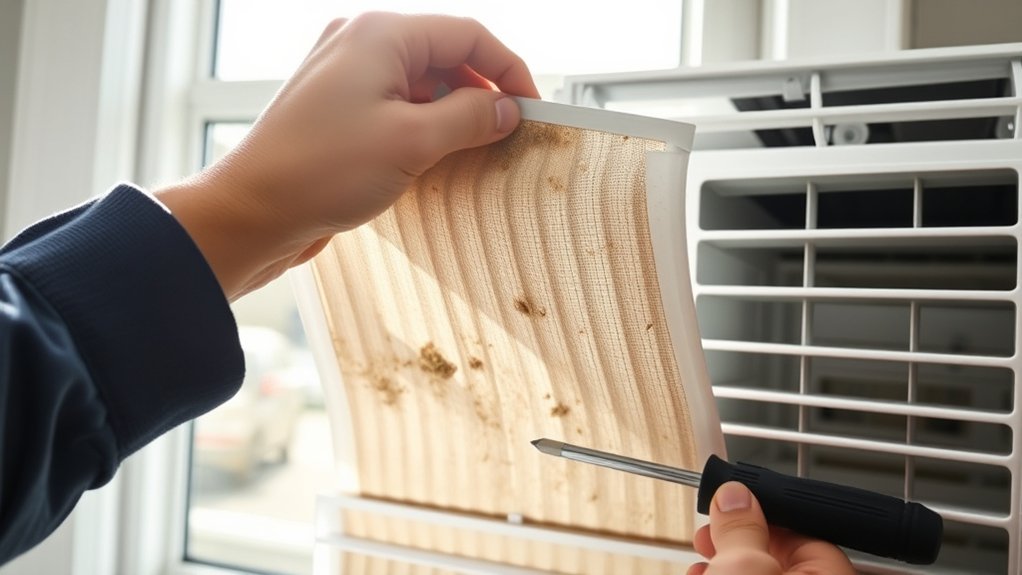
Your air filter is pretty important when it comes to keeping your cooling system running smoothly. It’s a good idea to check it regularly to see if it’s clogged up and blocking airflow. If it looks dirty or dusty, it’s probably time to swap it out.
Make sure you pick the right size filter so it fits your unit properly—using the wrong size can make everything less efficient. And don’t forget, changing the filter every few months or so keeps your AC working well and helps prevent hot air from sneaking in. Staying on top of this simple maintenance can really make a difference!
Identifying Clogged Filters
Clogged filters are a common cause of hot air blowing from your window AC, so it’s important to check them regularly. To see if your filter is clogged, look for visible dirt, dust buildup, or reduced airflow from the unit.
Different types of filters—like fiberglass, pleated, or electrostatic—may need different inspection methods, but all should be checked periodically. Remember, sticking to a regular filter replacement schedule helps keep your AC running efficiently and airflow strong.
Here are some tips:
- Check for debris or discoloration on the filter
- Feel for decreased airflow when the unit runs
- Replace filters if they look dirty or clogged
- Keep track of your filter’s lifespan based on its type and how often you use the AC
Regular inspections help ensure your AC runs smoothly and blows cool air when you need it.
Choosing Correct Filter Size
Knowing the correct filter size is essential for making sure your window AC works efficiently and effectively. An incompatible air filter can block airflow or fail to trap dust properly, which can lead to poor cooling.
To choose the right filter size, check the dimensions printed on your existing filter or measure the length, width, and thickness with a ruler. Always pick a filter that matches these measurements exactly.
Using the wrong size can cause gaps, letting dust and debris bypass the filter or putting extra strain on the unit. When replacing your air filter, choose one designed specifically for your window AC model.
Getting the right filter size ensures maximum airflow, better cooling, and helps your unit last longer.
Regular Maintenance Schedule
Regularly inspecting and replacing your air filter is essential for maintaining your window AC’s performance. A clean filter improves energy efficiency and helps prevent your unit from working harder than necessary. It also reduces noise, making your AC quieter during operation.
To keep your system running smoothly, set a regular maintenance schedule. Check the filter every 1-2 months, especially during peak use. Replace it if it’s dirty or clogged.
Doing so guarantees better airflow, improved cooling, and lower energy bills. Remember, a well-maintained filter extends your AC’s lifespan and keeps it operating efficiently.
Regular upkeep not only saves you money but also creates a more comfortable, quieter environment. Staying consistent with filter maintenance is key to avoiding hot air and maximizing your AC’s effectiveness.
Is Your AC Properly Ventilated and Clear of Obstructions?

Ensuring your window AC is properly ventilated and free of obstructions is key for it to work efficiently. Start by checking around your unit to make sure airflow isn’t blocked.
Make sure the vents on the front and sides are open and free of debris or dirt. Remove any leaves, dirt, or objects blocking the intake or exhaust areas.
Check outside the window unit for nearby obstacles like furniture, curtains, or plants that could restrict airflow. Proper ventilation lets hot air escape and cool air circulate properly.
If airflow is restricted, your AC has to work harder, which can cause it to blow hot air. Regularly inspecting and clearing obstructions helps ensure peak performance.
Taking these simple steps can prevent your unit from overheating or failing prematurely. It’s an easy way to boost your AC’s cooling efficiency.
How to Check and Clean Your Condenser Coils
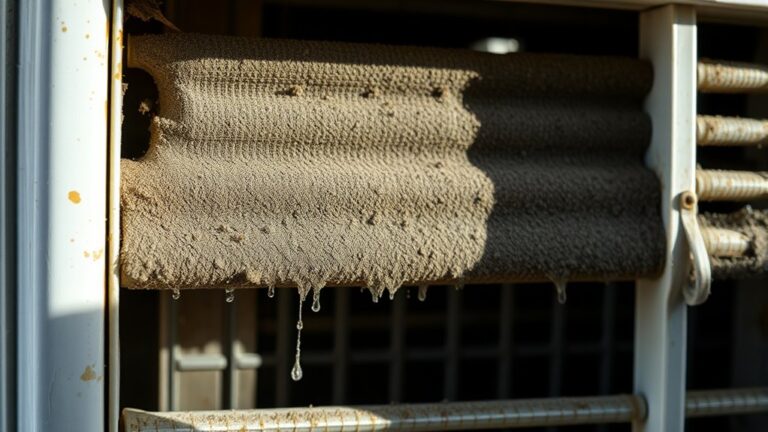
To keep your condenser coils working efficiently, it’s important to check them regularly for dirt and debris. Dirty coils block heat transfer, making your AC work harder and reducing cooling power. Start with a coil inspection—look for dust, leaves, or grime blocking airflow.
If you see buildup, it’s time to clean the coils. Turn off the power first. Gently remove debris with a soft brush or vacuum. For stubborn dirt, use a coil cleaner spray, following the product instructions carefully.
Be careful not to bend or damage the fins when cleaning. After applying the cleaner, rinse gently with water to wash away any remaining dirt. Regular inspection and cleaning can prevent overheating and keep your AC running smoothly.
Signs of Refrigerant Leaks and When to Call a Professional
If your window AC is blowing hot air even when it’s turned on, that might be a sign something’s wrong with the refrigerant. You could also notice hissing sounds or find oily spots around the unit—that’s often a clue there’s a leak. When you see these signs, it’s definitely time to call in a professional. They’ll handle the repair safely and make sure everything gets fixed properly.
Detecting Refrigerant Leaks
Wondering how to tell if your window AC has a refrigerant leak? One clue is if the unit blows hot air despite being on.
To confirm, you’ll need to evaluate refrigerant types and leak detection methods. Common signs include reduced cooling efficiency, ice buildup on coils, or hissing sounds near the unit.
Using a refrigerant leak detector or electronic leak detection tools can help pinpoint leaks accurately. Remember, refrigerant types like R-22 or R-410A require specific detection methods.
If you notice persistent issues or suspect a leak, it’s best to call a professional. They have the tools and expertise to perform precise leak detection and handle refrigerant safely.
Ignoring leaks can lead to system damage and environmental harm.
Signs You Need Help
Recognizing the signs of refrigerant leaks early can save you time and money while preventing further damage to your window AC. If your unit blows hot air despite proper settings or if you notice a hissing or bubbling noise, it’s time to act.
You may also see ice buildup on the coils or experience uneven cooling, which indicates refrigerant issues. These signs can affect color customization options and noise reduction performance, making your AC less efficient.
| Symptom | When to Call a Professional |
|---|---|
| Hot air | Persistent despite troubleshooting |
| Hissing | Possible refrigerant leak |
| Ice buildup | Indicates low refrigerant levels |
| Unusual noise | Suggests internal component damage |
Addressing these signs promptly ensures peak cooling and helps your system last longer.
Is Your Window AC Getting Power? Electrical Checks
To determine if your window AC is getting power, start by checking the power source and connections. Plug in another device to see if the outlet is working.
Make sure the power cord is securely connected to both the unit and the outlet. Remember, electrical safety is key, so don’t handle the cord if you see damage or exposed wires.
Power surges can trip circuit breakers or blow fuses, cutting power to your AC.
Here are some quick tips:
- Test the outlet with a different device to confirm it works.
- Reset the circuit breaker or replace blown fuses if needed.
- Avoid using damaged cords or outlets to stay safe.
- Use a surge protector to guard against unexpected power surges.
What If Your AC Still Blows Hot Air? Next Steps
If your AC is still blowing hot air, first thing you wanna do is double-check your thermostat settings. Make sure it’s set to cool and at the right temperature—that’s an easy fix that might solve the problem right away.
Then, take a quick look at the coolant levels. Low refrigerant can really mess with your AC’s ability to cool your space. If everything seems fine there but it’s still not working, it might be time to call in a professional to take a closer look. Sometimes, a little troubleshooting goes a long way!
Check Thermostat Settings
Sometimes, your thermostat settings might be the reason your AC is blowing hot air. First, make sure it’s set to “cool” and that the temperature is lower than the room’s current temperature.
Incorrect calibration can cause your system to run improperly, so consider recalibrating your thermostat if needed. Also, a faulty temperature sensor might send wrong signals, stopping the unit from cooling properly.
To troubleshoot, check that the thermostat is in “cool” mode and the temperature setting is below the room temperature. Look for signs of miscalibration, and if the sensor seems faulty, replace or reposition it.
Inspect Coolant Levels
Even with the thermostat set correctly, low coolant levels can prevent your AC from cooling properly. Perform a coolant inspection to check refrigerant levels, as low refrigerant is a common cause of hot air.
If the refrigerant levels are low, it could mean there’s a leak or not enough refrigerant in the system. You might notice oily residue around fittings or hoses, which suggests a leak.
Never try to recharge refrigerant yourself. It requires specialized equipment and safety precautions. Instead, contact a professional to assess and refill the coolant.
Having proper refrigerant levels is essential for the cooling cycle to work efficiently. Regular coolant inspections can help catch issues early, keeping your window AC running at its best and your space cool.
Simple Maintenance Tips to Keep Your Window AC Cooling Well
Regularly cleaning or replacing your window AC’s filters is one of the simplest ways to guarantee it cools effectively. Dirty filters block airflow, making your unit work harder and reducing cooling efficiency. Make sure you check and clean filters at least once a month during peak use. Proper airflow optimization is essential; clear the area around your unit and avoid obstructions.
To keep your AC running smoothly, also troubleshoot your remote control to verify it’s working correctly. It’s important because it affects your ability to adjust settings. Clean the vents and coils to improve airflow and heat exchange. Inspect for debris or dirt buildup that can hinder performance. Schedule regular maintenance to catch potential issues early.
Following these tips helps your window AC operate at peak efficiency. It prevents hot air blowouts and keeps your space cool.
When Is It Time to Replace Your Window Air Conditioner?
Knowing when to replace your window air conditioner is key to keeping your home comfortable and avoiding costly repairs. If your unit is over 10-15 years old, it might be losing efficiency, which can mean higher energy bills and poorer indoor air quality.
When repairs start happening often or cost a lot, replacing the unit can save you money in the long run. Signs like inconsistent cooling, loud noise, or hot air sticking around mean it’s time for a new system.
An aging AC often uses more energy, which can lower your home’s energy efficiency. Poor indoor air quality can also happen if your unit can’t filter pollutants properly anymore.
Upgrading to a newer model not only boosts cooling performance but also improves indoor air quality and cuts down on energy use.
If your current window AC no longer cools well or causes energy spikes, replacing it makes sense for comfort, health, and savings.
Frequently Asked Questions
How Long Should My Window AC Last Before Replacement?
Your window AC usually lasts about 10-15 years, but this can vary based on things like energy efficiency and noise levels.
If your unit isn’t cooling as well, gets louder, or needs frequent repairs, it might be time to think about replacing it.
Regular maintenance can help extend its life, so keep up with cleaning and inspections.
When your energy bills go up or the noise becomes annoying, upgrading to a newer, more efficient model might be a good move for better performance and savings.
Can External Weather Conditions Affect My Ac’s Cooling Performance?
Think of your AC as a brave sailor steering a stormy sea. When outdoor temperature climbs or humidity levels soar, it’s like rough waters challenging your vessel.
High outdoor temperatures make it harder for your AC to cool, while humidity can clog the system like fog on the horizon. These weather conditions can reduce your AC’s cooling performance, so expect some strain during extreme heat or damp days.
What Safety Precautions Should I Take When Inspecting My AC?
When inspecting your AC, make sure to unplug the unit before opening it up. This helps prevent any electrical shocks while you’re working on it.
Wear personal protective gear like gloves and safety glasses. This keeps you safe from sharp parts or refrigerants that could cause injuries.
Ensure the area is dry and free of water or moisture. Wet surfaces can increase the risk of electric shocks, so stay cautious.
Use insulated tools to avoid accidental electrical contact. If you’re not comfortable handling electrical components, it’s best to call a professional.
Staying safe while inspecting your window AC helps you avoid accidents and troubleshoot problems more effectively.
How Often Should I Schedule Professional Maintenance for My AC?
You should schedule professional maintenance for your AC at least once a year, especially before the hot summer months. Did you know that an efficient system can save you up to 30% on energy bills?
During maintenance, a technician checks the air filter and power supply, making sure there’s peak airflow and preventing overheating. Regular inspections help keep your AC running smoothly.
This not only extends its lifespan but also ensures you stay cool and comfortable when you need it most.
Are There Eco-Friendly Refrigerant Options for Window Units?
Yes, there are eco refrigerants and green alternatives for window units. You can choose models that use eco refrigerants like R-32 or hydrofluoroolefins (HFOs), which have lower global warming potential.
These options help reduce your carbon footprint while keeping your space cool. When shopping, look for energy-efficient units with eco-friendly refrigerants.
Consider regular maintenance to ensure your unit performs well and stays environmentally friendly.
Conclusion
Regular maintenance can save you money and extend your AC’s lifespan.
Did you know that a dirty filter and clogged coils are responsible for about 80% of window AC issues? Staying on top of simple checks like thermostat settings and cleaning filters helps keep your unit running smoothly.
By doing these easy tasks, you’ll avoid costly repairs and keep your home cool. Regularly fixing your window AC to prevent it from blowing hot air is the key to enjoying a comfortable home all season long!