How Does My Window AC Keep Turning Off?
Feeling frustrated because your window AC keeps turning off? You’re not alone—many people struggle with their units shutting down unexpectedly, especially during hot days when you need cool air the most. Understanding why this happens can help you keep your AC running smoothly and stay comfortable.
Your window AC may turn off unexpectedly due to issues like incorrect size for your space, dirty filters or coils, or electrical problems such as unstable power or loose wiring.
Overheating or a faulty thermostat can also cause it to shut down to protect itself. Mechanical issues, debris around the unit, or refrigerant leaks might be involved, too.
To fix the problem and keep it running smoothly, understanding these causes will help you take action.
Key Takeaways
- Incorrect sizing or clogged filters can cause overheating, which makes the AC shut off automatically for safety reasons.
- Temperature settings that are too low or high might cause the unit to cycle on and off frequently or not cool enough, leading to shutdowns.
- Mechanical issues like loose panels, debris, or refrigerant leaks can disrupt operation and trigger automatic shutoffs.
- Power supply problems such as unstable voltage, circuit overloads, or loose wiring can interrupt your AC’s functioning.
- Dirty coils, restricted airflow, or refrigerant leaks reduce heat exchange efficiency, causing overheating and shutting down the unit.
Why Does My Window AC Keep Turning Off? Quick Troubleshooting Tips
If your window AC keeps shutting off unexpectedly, it’s usually due to simple issues you can troubleshoot quickly. One common cause is related to energy efficiency. If the unit isn’t the right size for your space or the filters are dirty, the AC might turn off to prevent overheating or wasting energy.
Regularly cleaning or replacing filters helps improve airflow and allows the unit to run more smoothly. Noise levels can also affect performance; if the AC detects strange vibrations or loud sounds, it may shut down to avoid damage.
Check for loose panels or debris that could be causing extra noise. Also, make sure the thermostat isn’t faulty or set too low, which can cause frequent shutdowns. Fixing these issues not only makes your AC more reliable but also saves energy and reduces noise, keeping your cooling efficient and quieter.
How Does Setting the Temperature Affect Your AC’s Performance
Have you ever noticed how changing the temperature setting on your window AC affects how it works? When you turn the temperature lower, your unit has to work harder to cool your space, which can make it less energy-efficient.
Setting a higher temperature reduces the workload, helping your AC run more efficiently and use less power. Your settings directly affect how often the compressor turns on and off.
Raising the temperature setting helps your AC run efficiently and reduces energy consumption.
If you set the temperature too low, your AC might run constantly, increasing wear and tear and energy use. On the flip side, setting it too high might not cool your space enough, making the unit run longer to catch up.
Finding the right balance with your settings is key. It ensures your AC performs well, saves energy, and avoids unnecessary shutdowns. Adjusting the temperature wisely helps your AC run smoothly and keeps your room comfy without overworking the system.
Is Overheating Causing Your Window AC to Shut Off?
Is your window AC shutting off unexpectedly? Overheating could be the culprit. Sometimes, it’s just a matter of clogged filters or dirty coils that prevent the unit from cooling properly. When the system gets too hot, it has safety features that kick in and turn the AC off to prevent damage.
To keep your AC running smoothly, it’s a good idea to check these common issues. Regularly cleaning or replacing filters and cleaning the coils can help your unit stay cool and avoid overheating. If you’re still having trouble, it might be worth giving a professional a look to make sure everything’s in good shape.
Causes of Overheating
Overheating is a common reason your window AC might shut off unexpectedly. When your unit doesn’t run efficiently, it can overheat, triggering safety features to turn it off.
Poor energy efficiency puts extra strain on the components, increasing the risk of overheating. High noise levels during operation might also signal internal issues like loose parts or motor problems, which can contribute to overheating.
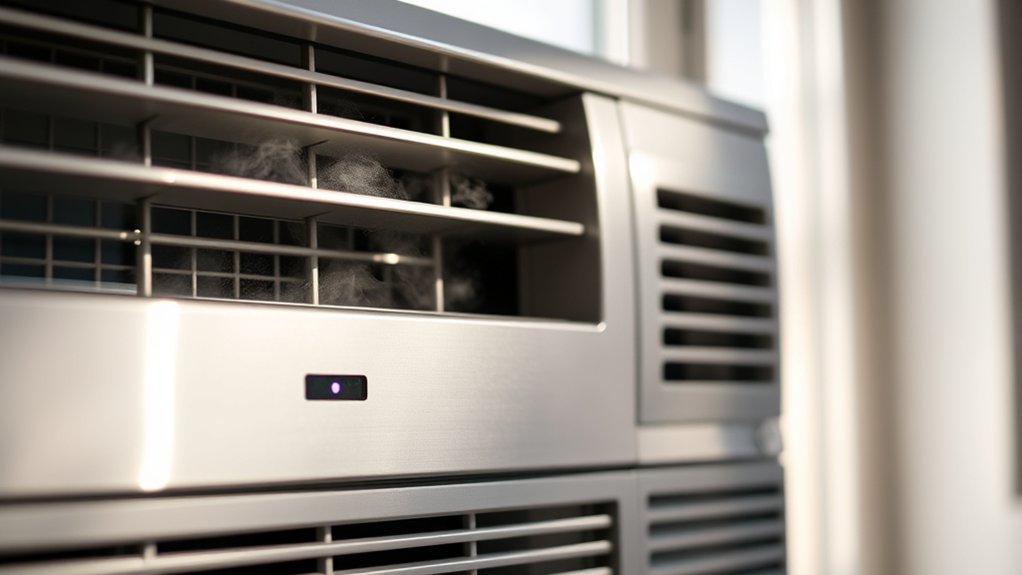
Dust buildup on coils or vents blocks airflow, making the system work harder and generate more heat. If your AC is struggling to keep cool, it’s often a sign that it’s overheating because of these causes.
Dealing with these issues quickly can help prevent shutdowns and keep your unit running smoothly.
Cooling System Troubles
When your window AC keeps shutting off unexpectedly, cooling system issues might be the culprit. Several problems can cause this, including:
- Dirty air filters, which block airflow and cause the system to overheat. Regular air filter replacement helps prevent this.
- Excessive compressor noise, indicating potential mechanical failure or overheating.
- Low refrigerant levels, making it harder for your AC to cool efficiently and risking shutdowns.
- Dirty evaporator or condenser coils, reducing heat exchange and causing the system to overheat and turn off.
Addressing these issues can improve performance. Start by replacing the air filter, check for unusual compressor sounds, and ensure coils are clean. These steps help prevent overheating and keep your AC running smoothly.
Do Dirty Filters or Coils Make Your AC Turn Off Frequently?
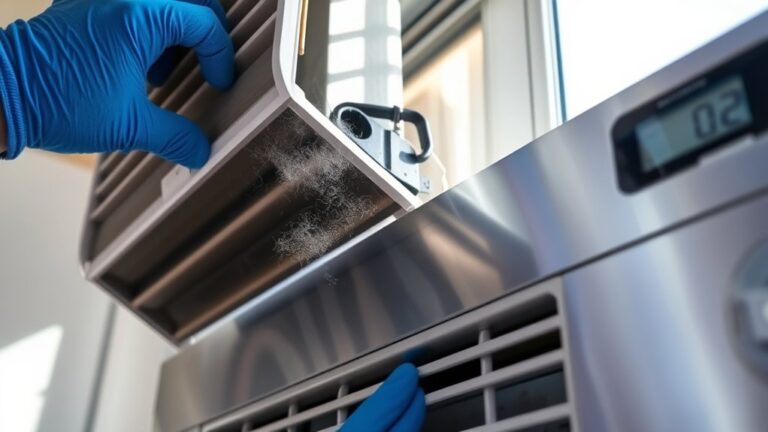
Dirty filters or coils can cause your window AC to turn off frequently because they restrict airflow, making the unit work harder than necessary. When your air filter is clogged with dust and debris, it hampers airflow and causes the AC to overheat or shut down to prevent damage.
Regularly cleaning or replacing the air filter ensures proper airflow and keeps the system running smoothly. Coil cleanliness is just as important; dirty coils reduce heat transfer efficiency, forcing the compressor and fan to overexert.
When coils are covered with dirt, the AC struggles to cool the air effectively, which can trigger automatic shut-offs to protect the unit. Keeping filters and coils clean helps your AC operate efficiently, prevents overheating, and reduces the chances of frequent shutdowns.
Make it a habit to inspect these components regularly, especially during peak use, to keep your window AC running reliably all season long.
Are Power Supply Issues Causing Your Window AC to Turn Off?
Power supply issues are a common reason your window AC might keep turning off unexpectedly. If your unit isn’t getting a stable power source, it can affect both energy efficiency and noise reduction, causing it to cycle on and off. Here’s what to check:
Power supply problems can cause your window AC to turn off unexpectedly, affecting efficiency and noise levels.
- Circuit Overload: Too many devices on the same circuit can cause voltage drops, leading to your AC shutting off to protect itself.
- Loose Wiring: Faulty or loose wiring connections can interrupt power flow, impacting performance.
- Power Surges: Sudden voltage spikes can trigger the AC’s safety features, turning it off.
- Inadequate Power Supply: Insufficient voltage from your outlet or breaker issues can prevent your AC from running smoothly.
Fixing these power supply problems can help your AC run more efficiently and quietly. Ensuring a steady, reliable power source keeps it operating effectively without frequent cycling off.
Can Overloaded Circuits Stop Your Window AC From Running?
Ever wonder if an overloaded circuit is causing your window AC to stop running? Circuit overloads happen when too many devices draw power from the same circuit, exceeding its capacity. When this happens, the circuit’s breaker trips to prevent damage, cutting off power to your AC.
This can make your window unit turn off unexpectedly. Power surges, which are sudden spikes in electrical current, can also trip the breaker or damage your AC’s internal parts. If your AC is plugged into an outlet sharing a circuit with multiple appliances or electronics, overloads are more likely.
To avoid this, don’t plug multiple high-power devices into the same outlet. If your AC keeps turning off, check your circuit breaker to see if it’s tripping often. Reducing the load or redistributing devices can help keep your window AC running smoothly without interruptions caused by overloads or power surges.
Is Your Thermostat Faulty and Making Your AC Shut Down Too Early?
If your window AC keeps shutting off too soon, a faulty thermostat might be the culprit. Incorrect calibration can make your unit think it’s reached the right temperature too early, so it turns off.
Remote control issues can also interfere with proper thermostat settings. Here are four signs to watch for:
- Thermostat calibration problems: If the thermostat isn’t calibrated right, it won’t read the room temperature accurately, causing early shutdowns.
- Remote control interference: Sometimes, a malfunctioning remote sends incorrect signals, turning off your AC unexpectedly.
- Inconsistent temperature readings: Erratic or inaccurate readings suggest the thermostat needs recalibration or replacement.
- Unresponsive controls: If your remote isn’t working properly, it might be sending faulty signals that affect thermostat operation.
Fixing these issues can help your AC stay on longer and keep your home comfortable.
When Should You Call a Technician for Your Window AC?
When your window AC keeps shutting off unexpectedly despite troubleshooting, it’s a good idea to call a professional. These constant shutdowns can make your unit less energy-efficient, which means higher electricity bills.
If your AC is cycling on and off frequently, a technician can check for issues like faulty parts or refrigerant leaks that you might miss. Also, if your unit starts making loud noises or vibrations, it could be a mechanical problem affecting performance.
Don’t ignore these signs because they can lead to more damage and costly repairs. A professional can perform a thorough inspection, optimize your AC’s operation, and help it run smoothly.
Calling a technician at the right time can improve energy efficiency, reduce noise, and extend your unit’s lifespan. This keeps your space comfortable and quiet without unnecessary stress.
How to Prevent Your Window AC From Shutting Off Unexpectedly
To keep your window AC running smoothly without unexpected shutdowns, regular maintenance is essential. Taking care of it helps improve energy efficiency and keeps noise levels down, preventing unnecessary interruptions.
Here are four simple steps to help stop your AC from shutting off unexpectedly:
- Clean or replace filters regularly to ensure good airflow, which boosts cooling performance and saves energy.
- Check for obstructions around the unit so it can operate smoothly and quietly.
- Inspect the thermostat settings to make sure they’re accurate; wrong settings can cause it to shut off early.
- Ensure proper insulation and sealing around the window frame to keep the temperature steady and reduce noise transmission.
Regular Maintenance Tips to Keep Your Window AC Running Smoothly
Regular maintenance is key to keeping your window AC running smoothly and efficiently. One easy step is regularly inspecting and replacing the air filter.
A clean air filter ensures proper airflow and prevents dust buildup, which can strain the system and cause it to shut off unexpectedly. Check the filter every month during peak use and replace it if it’s dirty or clogged.
Keep the area around your AC unit free of dust and debris to prevent dust from entering the system. Clean the vents and coils periodically with a soft brush or vacuum to remove dust buildup that can impair cooling performance.
Performing these maintenance tasks regularly helps your AC operate at peak efficiency, reduces the chance of overheating, and minimizes the likelihood of it turning off prematurely. Staying on top of these simple steps can extend your unit’s lifespan and save you money on repairs.
Frequently Asked Questions
Can a Faulty Compressor Cause My Window AC to Turn off Unexpectedly?
Yes, a faulty compressor can cause your window AC to turn off unexpectedly. When the compressor fails, it often leads to overheating or mechanical problems that make the unit shut down.
Electrical issues like faulty wiring or a failing relay can also cause the AC to turn off suddenly. These problems can prevent the unit from running properly or safely.
If you notice your AC turning off unexpectedly, it’s a good idea to have a professional check the compressor and electrical parts. This helps prevent further damage and keeps your unit working correctly.
How Does Ambient Temperature Impact My Window Ac’s Shutdown Cycle?
Your window AC’s shutdown cycle is heavily influenced by ambient temperature, which can make it seem like your unit’s working overtime, like a hero battling the heat!
When temperatures soar, your AC runs more frequently. But if it’s not energy-efficient or the thermostat’s miscalibrated, it may shut off prematurely.
Ensuring proper thermostat calibration and energy-efficient settings helps your AC run smoothly. This keeps your space comfortably cool, no matter how hot it gets.
Do Refrigerant Leaks Lead to the AC Shutting off Prematurely?
Refrigerant leaks can cause your window AC to shut off prematurely because low refrigerant levels reduce cooling efficiency and trigger safety features.
To fix this, you should perform leak detection to identify where the leak is coming from and then get a refrigerant recharge to restore proper levels.
Without fixing the leak and recharging the system, your AC will keep shutting off, struggle to cool effectively, and could face further damage.
Can Incorrect Installation Cause My Window AC to Stop Working?
Incorrect installation can definitely cause your window AC to stop working. If the remote control isn’t set up properly or airflow is blocked by improper positioning, your unit may shut off unexpectedly.
Make sure the unit is level, vents are clear, and the remote control is working correctly. Proper installation helps the AC run smoothly, prevents overheating, and keeps cooling consistent without unnecessary shutdowns.
How Do I Reset My Window AC After It Shuts off Automatically?
To reset your window AC after it shuts off, turn off the unit and unplug it for a few minutes to restore energy efficiency. Then, plug it back in and turn it on.
This reset can help reduce noise and improve performance. Make sure the thermostat is set correctly, and check for any obstructions.
Regular resets like this keep your AC running smoothly, ensuring peak noise reduction and energy use.
Conclusion
Remember, your window AC just wants to keep you comfy, so a little gentle attention can go a long way. Think of regular maintenance as giving it a cozy hug—helping it run smoothly without any hiccups.
When things feel off, don’t hesitate to call in a pro. Sometimes, an expert can quickly fix the issue and get your AC back to cooling like a champ.
With a bit of care and patience, your AC can stay happily humming along, making your summer days a little brighter and a lot cooler.
If your window AC keeps turning off, it might be due to dirty filters, a thermostat issue, or electrical problems. Regular upkeep can prevent these issues and keep your AC running smoothly.