How to Set Window AC Temperature for Optimal Cooling
As an Amazon Associate, I earn from qualifying purchases. This post contains affiliate links. Which means I may earn a small commission when make a purchase through my links, at no additional cost to you.
Many people struggle with keeping their homes comfortably cool during hot days without wasting energy or making noise. It’s a common challenge to find that perfect balance between effective cooling and energy efficiency.
Luckily, setting your window AC just right can make a big difference.
To set your window AC for the best cooling, keep the thermostat around 75-78°F, adjusting slightly based on outdoor weather and room size. Set a comfortable temperature to avoid overcooling, which wastes energy and can cause noise.
Use a programmable timer or smart control for convenience and efficiency. Seal gaps and keep windows closed to maintain the cool air.
For more tips on fine-tuning your AC settings, keep exploring to improve your comfort and savings.
Key Takeaways
- Set the thermostat between 75°F and 78°F for a good balance of comfort and energy savings.
- Use remote controls or smart thermostats to adjust the temperature based on the weather and room conditions.
- Keep doors and windows closed to preserve the cool air and avoid temperature swings.
- Adjust the fan speed and consider using dehumidifiers in humid weather for better cooling.
- Regularly clean or replace filters and seal gaps to improve airflow and reduce noise.
Why Setting Your Window AC Properly Matters for Comfort and Savings
Setting your window AC properly is key because it affects both your comfort and how much you spend on energy. When you install it correctly, the unit works more efficiently, which helps lower your energy bills.
Proper window AC installation boosts efficiency, comfort, and energy savings.
A good install also cuts down on vibrations and air leaks, which can cause noise and make your space uncomfortable. If your AC isn’t properly set up, it might rattle or be loud, disturbing your peace.
Making sure your window unit is securely fitted helps reduce noise, creating a quieter, more relaxing environment. When it’s positioned and sealed right, it cools better and faster, so your compressor doesn’t have to work as hard.
This not only saves energy but also helps your AC last longer. Taking a little time to install your window unit properly really makes a difference in daily comfort and ongoing savings.
A proper setup is simple but effective—giving you quieter operation and improved cooling performance.
What Is the Ideal Temperature Range for Efficient Cooling
To keep your space comfortably cool while saving energy, aiming for the right temperature range is important. The ideal setting for efficient cooling is generally between 75°F and 78°F. This range balances comfort with energy efficiency, so your AC doesn’t have to work harder than necessary.
When you set your window AC within this range, you reduce energy consumption and lower your utility bills. Plus, maintaining this temperature helps keep noise levels manageable, preventing the unit from running at full capacity all the time.
If you set the temperature too low, your AC will run more often, which increases noise and energy use. On the other hand, setting it too high might make you feel uncomfortable. Staying within this perfect range lets you enjoy effective cooling without overburdening your system.
It also helps keep noise levels down and saves energy, making your space comfortable and your bills lower. Remember, small adjustments within this range can make a big difference in efficiency and noise control.
How to Adjust Your Window AC Based on Your Climate and Season
Adjusting your window AC based on the climate and season helps you stay comfortable and saves energy. During hot summers, set your thermostat around 75°F to keep cool without wasting power. In cooler months, raise the temperature to avoid overcooling and cut down on energy use.
Make sure your filters are clean so the air stays fresh and free from pollutants. In humid seasons, using a dehumidifier with your AC can improve comfort and help maintain good air quality without overworking your unit.
| Climate/Season | Temperature Setting | Additional Tips |
|---|---|---|
| Hot & Dry | 75-78°F | Use curtains to block heat, clean filters regularly |
| Humid & Wet | 76-78°F | Use a dehumidifier, ensure proper ventilation |
| Cold Seasons | 78-80°F | Keep windows closed, check insulation |
| Transition | 75-77°F | Adjust based on outdoor temperatures |
| Year-round | 75°F | Regular maintenance for efficiency |
Tips for Setting Your Window AC During Hot Days and Humid Weather
On those hot, humid days, it’s really important to set your AC just right to stay comfy. Try to find a temperature that cools things down without using too much energy — a little higher than you might think can actually save you power. When it’s super humid, it’s tempting to switch to fan mode, but it’s best to use it sparingly because it can just circulate that damp air around.
And don’t forget, keep your doors and windows closed while your AC is on. That way, the cool air stays inside, and your unit doesn’t have to work overtime to fight the outside heat and humidity. It’s all about making your AC work smarter, not harder!
Adjust Temperature Settings Appropriately
When the weather gets hot and humid, setting your window AC properly is key to staying comfortable. Use the remote to fine-tune your temperature so it’s just right.
Don’t set the thermostat too low — that wastes energy and puts extra strain on your unit. Aim for around 78°F (25-26°C) for the best cooling efficiency.
Using the remote makes it easy to monitor and adjust your settings, especially when the weather keeps changing. Remember, different rooms might need different temperatures, so adjust accordingly.
| Room Size | Recommended Temp | Adjustment Tips |
|---|---|---|
| Small Room | 75-78°F | Slightly lower for humidity |
| Medium Room | 76-78°F | Use remote for quick tweaks |
| Large Room | 78°F | Higher temp saves energy |
| Humid Weather | 75-76°F | Calibrate for comfort |
Use Fan Mode Sparingly
Using fan mode sparingly can actually help you save energy and keep your room more comfortable during hot days and humid weather. Fan mode mainly circulates air without cooling it, which can make the room feel fresher but doesn’t lower the temperature.
Relying on fan mode too much might increase energy use without giving you the cooling relief you need. Instead, use it selectively, especially when outdoor temperatures drop in the evening.
Proper air circulation is important, but running the fan nonstop can also cause humidity to linger, making the room feel muggy. To get the best results, switch to fan mode only when the room is already cooled.
Turn it off once the desired temperature is reached. This approach helps conserve energy and keeps your environment comfortable.
Keep Doors and Windows Closed
Keeping doors and windows closed is key to maximizing your window AC’s cooling efficiency during hot and humid days. When you keep openings shut, your AC doesn’t have to work harder to cool the space, which helps maintain a consistent temperature.
Regularly check and clean the air filter to guarantee ideal airflow and filter out dust that can strain the unit. This also reduces noise levels, making the unit quieter and more comfortable.
Opening windows or doors allows warm, humid air to enter, forcing your AC to run longer and use more energy. Keeping them closed prevents this, helping your AC cool effectively and efficiently.
Follow this simple tip to improve cooling, reduce energy consumption, and enjoy a cooler, more comfortable environment.
How to Use Your Thermostat to Save Energy and Stay Cool
Using your thermostat wisely can really help you stay comfortable while saving energy. It’s all about finding that sweet spot where your space stays cool without using too much power. Setting your thermostat to an ideal temperature—something around 78°F when you’re home—can make a big difference.
If you want to make things even easier, consider getting a programmable thermostat. It’s convenient because you can set it to adjust automatically based on your schedule, so you’re not cooling an empty house. Just keeping the settings consistent helps prevent your AC from turning on and off too often, which not only saves energy but also helps your system run more smoothly.
Set Optimal Temperature
Have you ever wondered how to set your window AC’s thermostat for maximum comfort and efficiency? To do so, aim for a temperature around 78°F (25-26°C) when you’re home. This strikes a good balance between comfort, air quality, and energy savings. Keep these points in mind:
- Comfort vs. Efficiency: Lowering the temperature cools the room faster but uses more energy and makes the unit noisier.
- Air Quality: Keeping a moderate temperature helps prevent humidity buildup, which improves air quality.
- Noise Levels: Setting the thermostat too low can cause the AC to cycle on and off frequently, increasing noise and disrupting peace.
Adjusting the temperature thoughtfully helps create a cooler, quieter environment without wasting energy or sacrificing air quality.
Use Programmable Thermostat
A programmable thermostat makes it easy to keep your home comfortable while saving energy. With a remote control, you can adjust settings without getting up, so you’re cool before even walking into the room.
Set your thermostat to lower the temperature during the hottest parts of the day and raise it when you’re away or sleeping. This not only saves energy but also helps prevent unnecessary cooling, improving airflow.
Scheduling temperature changes means you don’t have to make manual adjustments all the time, which can be inefficient. Make sure your thermostat is programmed to match your daily routine for maximum savings.
Using these features helps you stay comfortable while lowering your energy bills, all with minimal effort.
Maintain Consistent Settings
Maintaining consistent thermostat settings helps your window AC run more efficiently and keeps your home comfortably cool. Sudden temperature changes cause the unit to cycle on and off frequently, which increases energy use and noise.
To optimize energy efficiency and reduce noise, consider these tips:
- Keep your thermostat steady, ideally around 78°F in summer, to avoid unnecessary cycling.
- Avoid adjusting the temperature frequently, as it makes the AC work harder and creates more noise.
- Use a programmable thermostat to maintain consistent settings, ensuring your AC runs smoothly and quietly.
Common Mistakes to Avoid When Setting Your Window AC Temperature
Setting your window AC temperature might seem straightforward, but common mistakes can hurt your comfort and energy savings. One mistake is setting the thermostat too low, which wastes energy and boosts your utility bills. Instead, aim for a comfortable, moderate temperature.
Ignoring noise reduction is another mistake. Setting the AC too high can cause it to cycle often, creating unnecessary noise and lowering efficiency. Also, not cleaning or replacing filters regularly can block airflow, making the compressor work harder and wasting energy.
Don’t forget to consider your room’s size and insulation when setting the temperature. An incorrect setting can lead to uneven cooling and higher energy use. Lastly, adjust your settings based on occupancy and outside temperature. Being mindful of these mistakes helps you save energy, reduce noise, and stay comfortable with your window AC.
How to Fine-Tune Your Window AC for Different Rooms and Preferences
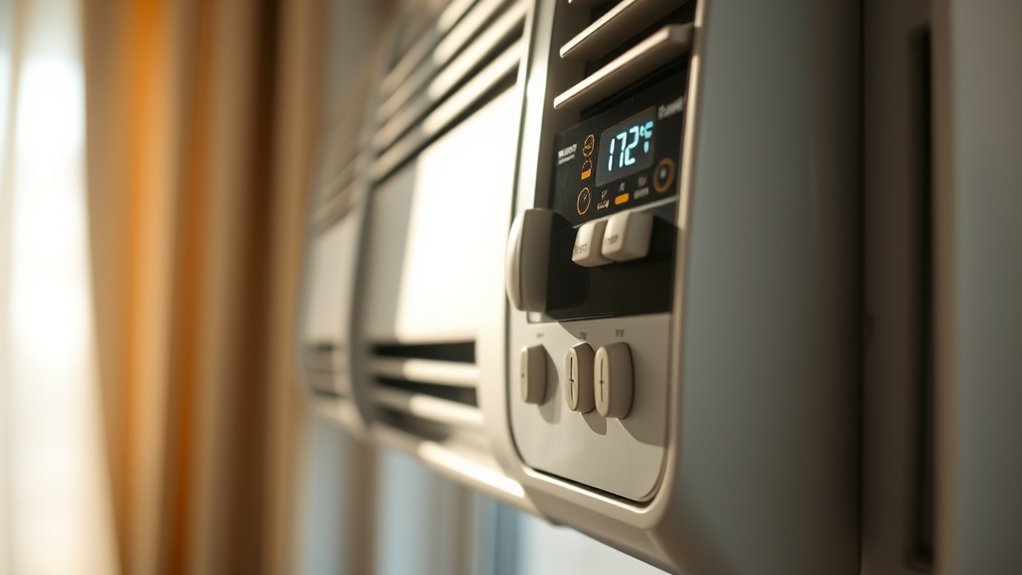
Adjusting your window AC for different rooms and personal preferences ensures you stay comfortable and save energy. Think about the room size, how active it is, and your noise sensitivity.
Here are some simple tips:
- Adjust Temperature Settings: Lower the temperature in bigger or busier rooms to keep them comfortable. Just don’t overcool, or you’ll waste energy.
- Use Fan Speeds Wisely: Set the fan higher for better circulation and less noise, especially in shared spaces. Quieter settings work better in bedrooms.
- Seal and Insulate: Make sure windows and gaps are sealed well. This keeps the cool air in, blocks outside noise, and helps your AC work more efficiently.
Should You Use a Timer or Smart Controls for Better Temperature Management?
Using a timer or smart controls can really make managing your window AC more convenient and hassle-free. It’s like having a little helper that ensures your room is just the right temperature when you need it. Plus, they give you precise control, so you can set your cooling schedule exactly how you like it.
Think about what works best for your lifestyle. Do you want the simplicity of a timer, or are you looking for the advanced features and flexibility that smart controls offer? Either way, choosing the right option can make your cooling experience much more comfortable and tailored to your needs.
Convenience and Ease of Use
Choosing between a timer and smart controls can really impact how easily you manage your window AC’s temperature. Smart controls make it simple to adjust settings remotely, set schedules, and adapt to your habits.
This makes maintaining a comfortable environment much easier, especially if your window isn’t well insulated. Plus, smart controls can help cut down on noise by optimizing when the unit runs, so it’s quieter during quiet hours.
Here are some key benefits:
- Automatic Scheduling: Program your AC to turn on or off automatically, saving effort and energy.
- Remote Access: Change settings from your phone, even when you’re away.
- Better Noise Control: Smarter operation means less unnecessary running, which reduces noise disruptions.
All this makes managing your temperature much more straightforward and convenient.
Precision and Customization
When it comes to maintaining a precise and comfortable temperature, choosing between a timer and smart controls can really make a difference.
Smart controls let you customize cooling schedules based on your habits, which helps save energy and avoid unnecessary operation. They also help reduce noise by turning the AC off when it’s not needed, making your environment quieter.
Timers are simple and offer straightforward scheduling, but they don’t have the flexibility of smart controls.
If you want ideal temperature management with less energy waste and noise, smart controls are the better option. They give you more control over your AC’s functions, helping you stay comfortable without wasting power or creating excess noise.
How to Tell If Your Window AC Is Cooling at the Right Temperature?
If you’re wondering whether your window AC is cooling effectively, the easiest way to tell is by checking the actual temperature inside the room. Use a reliable thermometer to see if it feels comfortably cool, usually around 75°F (24°C).
Check your room temperature with a reliable thermometer to see if your window AC is cooling effectively.
Pay attention to a few key signs:
- Consistent Temperature: The room stays at your desired level without lots of ups and downs.
- Air Filter Condition: A clean filter helps the AC run properly. Dirty filters can make it less effective.
- Noise Levels: If it’s making too much noise, there might be a problem with the motor or fan. A quieter unit often cools better.
If the room isn’t cooling well despite these signs, check your air filter and make sure nothing is blocking the unit. Regular maintenance helps keep your room comfortable and temperatures just right.
Simple Steps to Find the Perfect Temperature for Comfortable, Efficient Cooling
Finding the perfect temperature for your window AC involves some trial and error to balance comfort and efficiency. Start by setting your AC to around 75°F (24°C), which is usually a good baseline for both comfort and saving energy.
Spend a few hours monitoring how you feel and how much power your unit uses. If you’re too cold, raise the temperature a few degrees; if it’s too warm, lower it slightly.
Make small adjustments until you find a setting that keeps you comfortable without wasting energy. Remember, the ideal setting depends on your climate, room size, and personal preferences.
Changing the temperature based on the time of day or whether the room is occupied can help you save energy and stay comfortable.
Frequently Asked Questions
How Does Room Size Affect Optimal AC Temperature Settings?
Room size impacts your ideal AC temperature because bigger rooms need lower settings to cool effectively, especially if insulation isn’t great.
In cooling zones, you might want to adjust the temperature more carefully to prevent overcooling.
Smaller, well-insulated rooms stay cooler longer, so you can set the temperature a bit higher.
Always think about insulation and zoning to find the right balance, making sure you’re comfortable without wasting energy.
Can Setting the Temperature Too Low Damage the AC Unit?
Setting your AC too low is like forcing a sprinter to run a marathon. Your unit struggles and risks damage. When you lower the temperature excessively, it can put a lot of stress on the compressor, especially if the thermostat isn’t calibrated right or refrigerant levels are low.
This extra strain can cause wear and even lead to breakdowns. To keep your AC in good shape, set it at a comfortable, moderate temperature. Also, check that the thermostat is properly calibrated and refrigerant levels are correct for optimal performance.
Should I Adjust the Temperature When the Room Is Unoccupied?
Yes, you should adjust the temperature when the room is unoccupied to save energy and optimize comfort. Lowering the temperature slightly can prevent the AC from running unnecessarily when no one’s there, conserving energy.
When you’re back, reset it to a comfortable level. This proactive adjustment helps with energy conservation and guarantees your space remains comfortable without wasting power.
Making these small changes can make your cooling system more efficient overall.
How Often Should I Clean or Maintain My Window AC for Best Performance?
You should clean your window AC filter at least once a month to ensure maximum airflow and good air quality. Regular filter maintenance helps prevent dust buildup and keeps your unit running efficiently.
Also, check the refrigerant levels once a year. Low refrigerant can make your cooling less effective. Keeping filters clean and refrigerant levels topped off helps your AC run smoothly, saves energy, and extends its lifespan.
If you notice any issues with how your AC performs, don’t forget to schedule professional maintenance. It can help catch problems early and keep everything working perfectly.
What Are the Signs That My AC Is Not Cooling Effectively?
If your AC isn’t cooling effectively, you might notice uneven cooling, higher energy bills, or louder noises. These could be signs that something’s not right.
You might also see ice buildup on the coils or a musty smell, which indicates poor air circulation. These signs show your unit’s efficiency has dropped.
To fix this, try cleaning the filters and checking for obstructions. Regular maintenance can keep your AC running smoothly, quietly, and energy-efficiently.
Conclusion
Think of your window AC as the conductor of your comfort symphony. When you set it just right, every note—cool, quiet, and efficient—comes together perfectly.
By tuning your unit to the ideal temperature, you create a harmonious environment that keeps you comfy without wasting energy. So, don’t let your coolness slip away.
Adjust, fine-tune, and master your climate to turn your home into a cool oasis amid the summer storm. Remember, setting your window AC to the right temperature is key for optimal cooling and energy savings.