10 Easy Steps to Clean Your Window AC Unit Without Removing It
If you own a window AC unit, you’re probably no stranger to the hassle of keeping it clean and running efficiently. Many people struggle with figuring out how to clean their units without the hassle of removing them entirely.
Luckily, you’re not alone, and there are simple steps you can take to do a thorough clean without the extra effort.
To clean your window AC unit without removing it, start by turning off and unplugging the unit for safety. Use a soft brush or vacuum to clean the vents and external surfaces.
Remove and clean the filter with mild soap or vacuum it, then dry and reinstall. Wipe down the control panel and remote, and gently brush the fins and coils.
Running the fan-only cycle afterward helps clear dust.
Keep the unit maintained regularly for peak efficiency—more detailed steps follow.
Key Takeaways
- Turn off and unplug the AC to stay safe before cleaning.
- Gently vacuum or dust the external vents and fins to remove debris.
- Remove and clean the filter with a vacuum or mild soap, then dry it thoroughly.
- Use a damp cloth to wipe down the control panel and exterior surfaces.
- Check for leaks, blockages, and make sure all parts are dry and properly secured before turning it back on.
Why Regularly Cleaning Your Window AC Boosts Efficiency
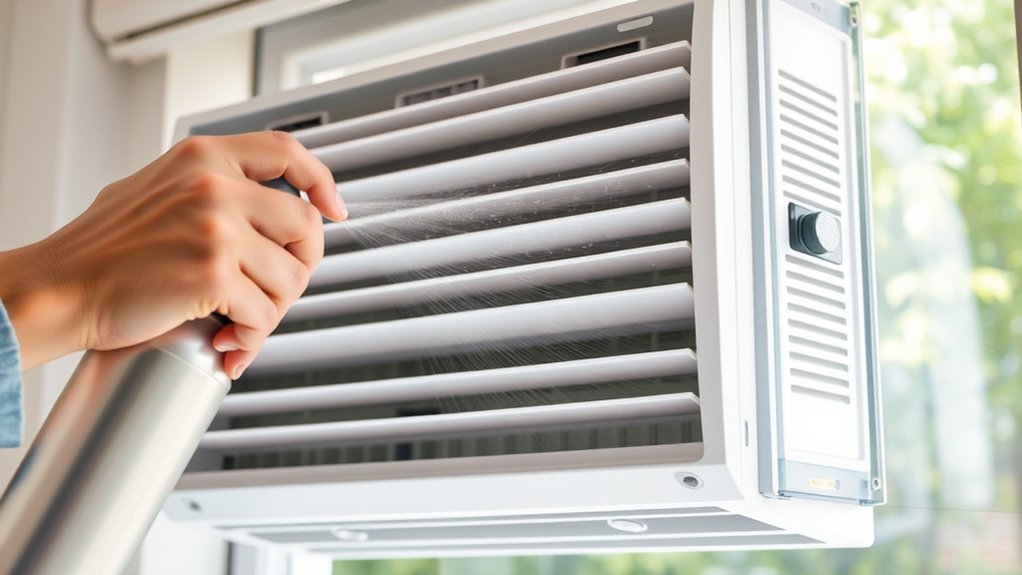
Regularly cleaning your window AC unit is essential because it helps maintain peak efficiency. When you keep the filters and coils clean, your unit doesn’t have to work as hard, which saves energy and lowers your electricity bills.
Improved air circulation is another big benefit. Dust and debris can block airflow, making the system less effective at cooling your space. Removing dirt ensures better air movement, which boosts comfort and air quality.
A clean unit cools more evenly, preventing hot spots and uneven temperatures. Plus, regular maintenance extends your AC’s lifespan, saving you money on repairs or replacements.
Neglecting cleaning leads to clogged filters and dirty coils, causing the system to strain and waste energy. Keeping up with maintenance keeps your AC running smoothly and reliably.
Staying proactive with cleaning is a simple step that offers big benefits for both your comfort and your wallet.
What Tools and Supplies Do You Need to Clean Your Window AC in Place
To clean your window AC in place, you’ll want to gather a few simple supplies first. A soft brush, a microfiber cloth, and a mild cleaning solution are really all you need to get started. It’s pretty straightforward, and having these on hand makes the whole process much easier.
Don’t forget about safety gear! Wearing gloves and goggles helps protect your skin and eyes from any dirt or cleaning solutions. Once you’ve got your tools and safety gear ready, you’ll find the cleaning process goes a lot smoother and safer.
Essential Cleaning Supplies
Gathering the right tools and supplies is essential for cleaning your window AC unit effectively without removing it. You’ll need a few key items to do the job properly:
- A soft brush or vacuum with a brush attachment to remove dust and debris from vents and fins.
- Mild detergent and water for cleaning the external surfaces and filters.
- An air filter replacement, if your current filter is worn or clogged.
- A flashlight for window seal inspection to ensure no gaps let in air leaks.
Using these supplies helps maintain ideal airflow and energy efficiency. Remember to check the air filter and replace it if necessary, and inspect the window seal to prevent air leaks.
These simple supplies are all you need for a thorough in-place cleaning.
Necessary Safety Gear
Before you start cleaning your window AC unit in place, it’s important to wear the right safety gear to avoid accidents and injuries. Following safety rules is key, so gather protective equipment like gloves, safety goggles, and a dust mask.
Gloves help protect your hands from dirt, debris, and cleaning chemicals, while goggles keep your eyes safe from splashes. A dust mask prevents you from inhaling dust or mold particles during cleaning.
Make sure to wear non-slip shoes to avoid falls if you’re working on a slippery surface. Keep a sturdy ladder or step stool nearby if you need a little extra reach.
Wearing proper safety gear keeps you safe and comfortable while you clean your unit effectively without risking injury.
How to Safely Turn Off and Unplug Your Window AC
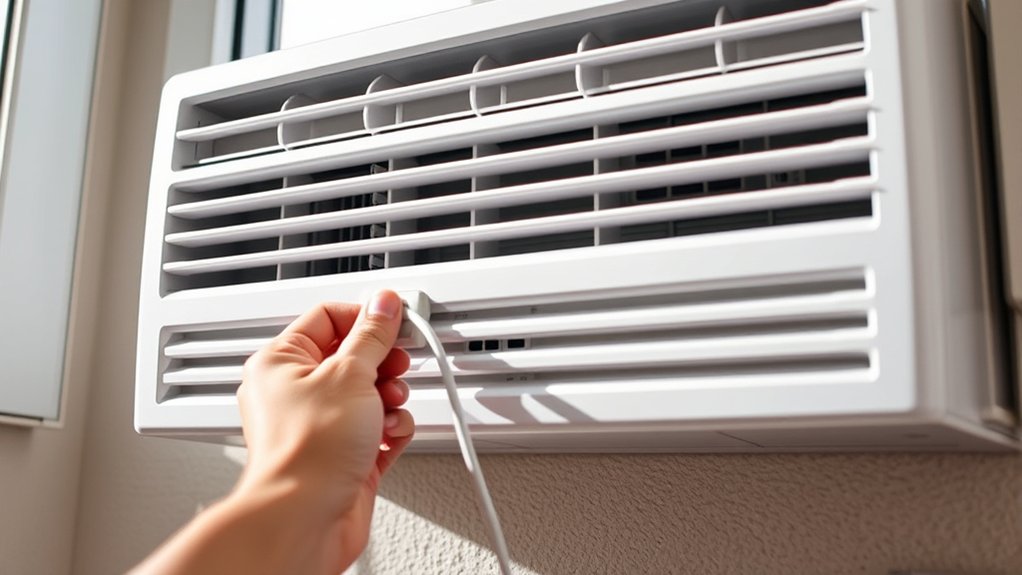
Turning off and unplugging your window AC unit is an important first step to stay safe before cleaning. This helps prevent electrical hazards and keeps the unit running efficiently and quietly.
Here’s how to do it safely:
- Find the power button on your AC and turn it off.
- Locate the power cord’s plug behind or near the unit.
- Grip the plug firmly and pull it straight out of the outlet.
- Make sure the unit is completely unplugged before you start cleaning.
Unplugging the AC cuts off the power, reducing the risk of electric shock. It also helps the unit operate more quietly during cleaning.
Always double-check that the plug is fully removed before touching any internal parts. Taking this simple step keeps you safe and helps your AC work better, saving energy and reducing noise when you turn it back on.
How to Clean Your AC Filter Without Removing the Unit
Once you’ve unplugged your window AC for safety, the next step is to clean the filter. Regular air filter maintenance is key for efficient cooling and good air quality.
Start by locating the filter—usually behind the front grille or panel—and carefully remove it.
Use a vacuum with a brush attachment to remove dust and debris from both sides of the filter. For a deeper clean, wash the filter with mild soap and warm water, then let it air dry completely before reinstalling.
Cleaning every few weeks helps keep airflow strong and prevents dust buildup. Remember your filter replacement schedule—some need replacing every few months, especially if airflow drops or dust increases.
Proper maintenance keeps your AC running smoothly, uses less energy, and lasts longer. Follow these simple steps to keep your unit efficient and your indoor air fresh.
How to Clean the Exterior and Vents of Your Window AC
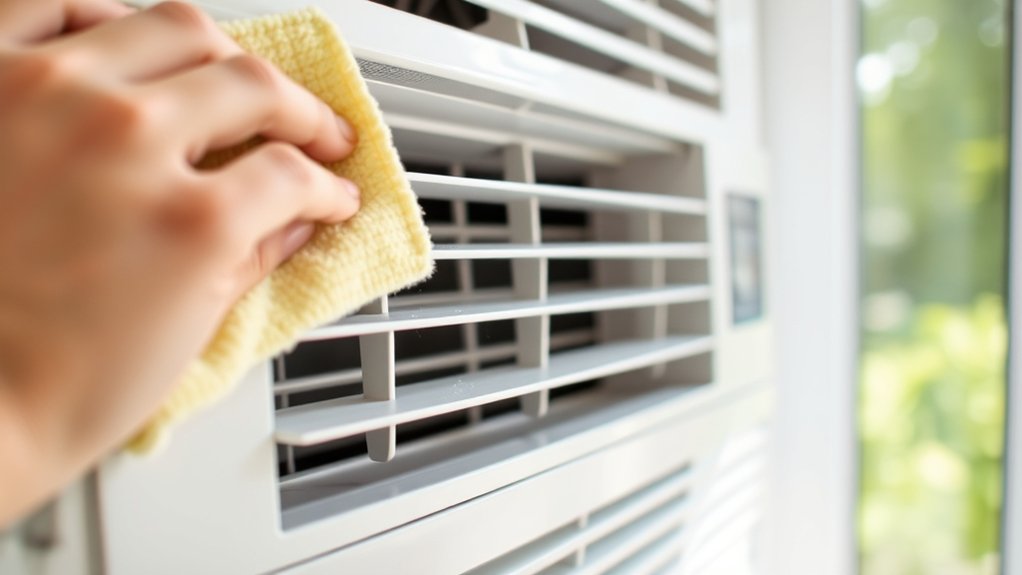
Cleaning the exterior and vents of your window AC is super important for keeping good airflow and avoiding dust buildup. A tidy unit not only looks better but also runs quieter because there’s less debris causing noise.
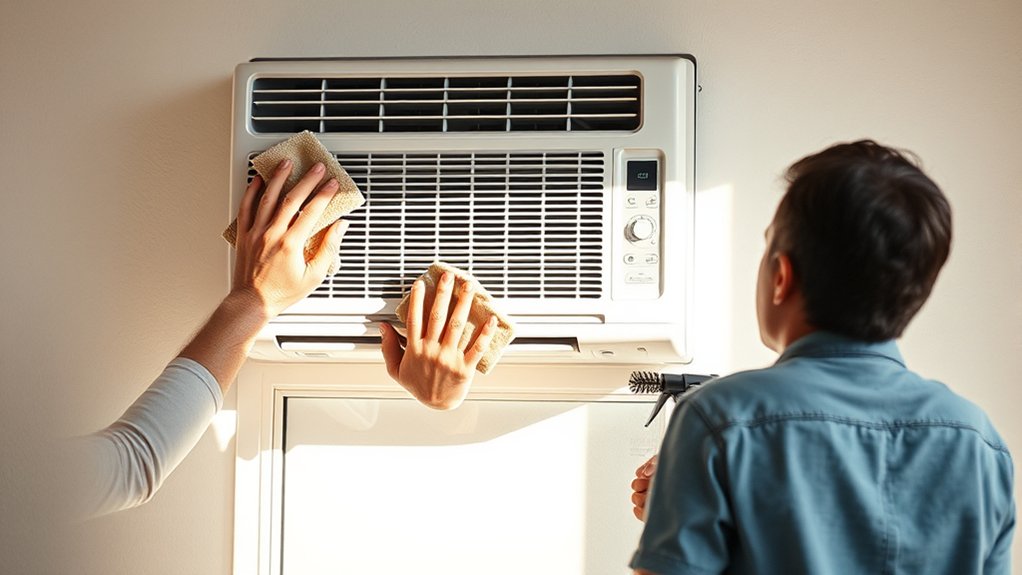
First, switch off your AC and unplug it for safety. Then, grab a damp cloth and wipe down the outside surfaces to remove dust and grime. It’s quick and easy but makes a big difference.
Next, gently vacuum the vents using a brush attachment. This helps clear out any dirt or debris hiding inside. For stubborn dirt, dip a cloth in a mild soap solution and wipe the vents and outer panels. Finish up with a dry cloth to dry everything off.
Cleaning these parts regularly means better airflow, less strain on the AC, and quieter operation. Plus, it keeps your space looking clean and fresh. Remember, a well-maintained exterior not only boosts performance but also enhances your room’s overall look.
How to Clear Dust From the Fins and Coils of Your Window AC
First, grab a soft brush or a damp cloth and gently wipe or brush the fins and coils. This helps get rid of the loose dust and debris that might be clinging on. Don’t be too rough — you want to be gentle so you don’t damage those delicate fins.
Next, it’s time to bring in a coil cleaner. Just make sure you follow the instructions on the product carefully. Spray or apply the cleaner evenly over the coils and fins, making sure everything gets covered. This step is really important to break down any stubborn dirt or grime.
After the cleaner has had some time to work, give the coils a good rinse with water. You want to wash away all the loosened dirt and cleaner residue. Once everything looks clean, dry the fins and coils completely before turning your AC back on. This helps prevent any mold or water damage, so your unit stays in good shape.
Use Soft Brush or Cloth
To effectively remove dust from the fins and coils, grab a soft brush or a gentle cloth. These tools are great for dust removal without damaging delicate surfaces.
Gently brush along the fins to loosen dust and debris. Then, use a soft cloth to wipe the coils for a thorough clean.
Be careful not to press too hard, as this can bend the fins. Regularly switch to a clean part of the cloth for better dust removal.
This method helps you clean effectively without using harsh tools, keeping your fins and coils in good shape. Use light, sweeping motions to remove dust without causing damage.
Proper dust removal keeps your AC running efficiently and extends its lifespan.
Apply Coil Cleaner Carefully
Applying coil cleaner carefully is essential to avoid damaging the fins and coils while guaranteeing a thorough clean. When you’re doing coil maintenance, gentle chemical application is key.
Spray the cleaner evenly across the fins and coils, making sure not to oversaturate or spray too forcefully. This could bend or break the delicate fins. Follow the manufacturer’s instructions for the specific coil cleaner you’re using, and do it in a well-ventilated area.
Let the cleaner sit for the recommended time to loosen dust and grime effectively. Be cautious with the amount of chemical you apply, as excess can cause buildup or damage. Proper, careful application helps keep your coils in good shape and your AC running efficiently.
Rinse and Dry Thoroughly
After allowing the coil cleaner to sit for the recommended time, it’s important to rinse away any remaining residue thoroughly. Use a gentle stream of water to clear dust from the fins and coils, making sure no cleaner is left behind.
Next, follow these steps:
- Inspect the fan blades for dust buildup or damage, and clean them gently if needed.
- Check the air filter and replace or clean it if it’s dirty to improve airflow and efficiency.
- Dry the coils and fins with a clean cloth or let them air dry completely.
- Ensure the fins are straight using a fin comb if any are bent, so airflow stays proper.
This process helps keep your AC running efficiently and prolongs its lifespan.
How to Wipe Down the Control Panel and Remote for Hygiene
Since the control panel and remote are touched often, they can collect dirt, dust, and germs over time. To keep them clean, start by turning off your AC.
Dampen a soft cloth with a mixture of mild soap and water, then gently wipe the control panel. Be careful not to use too much moisture that could get into the electronic parts.
Use a cotton swab or soft brush to clean around buttons and in crevices. For the remote, remove the batteries first.
Lightly dampen a microfiber cloth and wipe the remote, paying attention to buttons and surfaces. Never spray cleaning solutions directly onto either item.
After cleaning, use a dry cloth to remove any remaining moisture. Regular cleaning helps prevent germs and keeps your unit safe and hygienic.
Why Running a Fan-Only Cycle After Cleaning Is Helpful
Running a fan-only cycle after cleaning is actually pretty helpful. It helps blow out any leftover residues, so your unit stays fresher and cleaner. Plus, it helps slow down mold growth, which is always a good thing for your home’s health.
And honestly, it’s a quick step that makes a big difference. It keeps the air in your space cleaner and improves indoor air quality. So, taking those extra few minutes to run the fan after cleaning not only keeps your AC running smoothly but also creates a healthier environment for you and your family.
Clears Remaining Residues
Running a fan-only cycle after cleaning helps clear out any remaining residues or cleaning solution that might still be lingering inside the unit. This step is key to preventing residue buildup, which can affect your AC’s efficiency and air quality.
To get the most out of this process, keep these points in mind:
It disperses leftover cleaning agents, making sure they don’t cause damage or odors.
It also helps dry out components, reducing moisture that can lead to mold or mildew.
This step confirms no cleaning solution is left behind, keeping your environment safer.
Finally, it supports sticking to a regular cleaning schedule, preventing buildup over time.
Reduces Mold Growth
After cleaning your window AC unit, running a fan-only cycle is really important because it helps prevent mold from developing. It keeps air moving through the unit, which reduces moisture that mold needs to grow.
Good airflow helps dry out damp spots, which is key for mold prevention and keeping your air quality high. When you run the fan after cleaning, it also makes it less likely for mold spores to settle and start growing inside.
This simple step helps stop mold from forming over time, protecting your indoor air. Using the fan regularly keeps your AC fresh, safe, and free from mold-related health problems.
It’s a quick, effective way to create a healthier environment inside your home.
Enhances Air Quality
Keeping air circulating with a fan-only cycle after cleaning helps maintain better indoor air quality. Running the fan disperses airborne allergens and reduces indoor pollution, creating a healthier environment. Here’s why it’s beneficial:
- It helps remove residual dust and particles lingering after cleaning.
- It prevents stagnation, minimizing mold and bacteria growth.
- It improves air circulation, reducing airborne allergens that trigger allergies.
- It promotes fresh airflow, lowering indoor pollution levels overall.
Tips to Keep Your Window AC in Good Shape Between Deep Cleanings
To keep your window AC unit running efficiently between deep cleanings, regular simple maintenance can make a big difference. Check the filters monthly and replace or rinse them as needed.
Dirty filters block airflow and make your unit work harder, which lowers energy efficiency. Establish a maintenance routine and mark it on your calendar so you don’t forget.
Wipe down the exterior and vents with a damp cloth to prevent dust buildup. Make sure the area around the unit is clear of debris and obstructions, which can restrict airflow.
Regularly inspect the fins and coils for dirt or obstructions. Use a soft brush or vacuum to gently clean them. These small steps help keep your unit working at its best.
Consistent upkeep between deep cleanings keeps your window AC running smoothly and efficiently. It can save you money on energy bills and help prevent potential issues.
Troubleshooting Common Issues After Cleaning Your Window AC
Sometimes, despite your best efforts, issues can come up after cleaning your window AC. If your unit isn’t working quite right, here are some simple troubleshooting tips:
First, check for improved airflow. Make sure vents and filters are properly installed. Poor airflow can make the unit less efficient and cause it to work harder than it needs to.
Next, inspect for leaks. Look for water leaks or blocked drainage. Leaks can lead to mold, which affects air quality and can cause noise problems.
Then, verify your power connections. Ensure all wires and switches are secure. Loose connections can cause the unit to turn on and off unexpectedly or stop working altogether.
Finally, try adjusting the thermostat settings. Resetting or fine-tuning the thermostat can boost energy efficiency and reduce unnecessary noise.
Addressing these issues quickly helps keep your AC running smoothly, saving energy and reducing noise. If problems continue, it’s a good idea to call a professional to avoid further damage.
Frequently Asked Questions
Can I Clean My Window AC Unit Without Any Special Tools?
Yes, you can clean your window AC unit without any special tools for DIY maintenance. Basic cleaning tools like a soft brush, vacuum with a brush attachment, and a damp cloth are enough.
Start by turning off the unit, then gently remove dust from filters and fins. Use the vacuum and brush to clean debris, and wipe down accessible parts.
This simple approach keeps your AC running efficiently without needing professional help.
How Often Should I Clean My Window AC for Optimal Performance?
You should clean your window AC every one to two months for ideal performance. Regular air filter maintenance guarantees efficient airflow and cooling.
Clearing the drainage prevents water buildup and mold growth. This routine highlights how important consistent upkeep is.
By staying proactive, you can stop issues before they get worse. This helps keep your unit running smoothly.
Regular cleaning not only extends your AC’s lifespan but also improves the air quality in your space.
Is It Safe to Use Water on All Parts of the Unit?
Using water on all parts of your window AC unit isn’t always safe. You should avoid water near electrical components to prevent safety issues and water damage.
Instead, focus on cleaning the filters and exterior with a damp cloth, and use compressed air for dust.
Keep water away from the motor, wiring, and control panel. Always unplug your unit before cleaning to stay safe and avoid damage.
What Are Signs My Window AC Needs Professional Servicing?
If your window AC struggles to cool efficiently or makes strange noises, it’s time to get professional servicing. Signs include poor airflow, persistent odors, or increased energy bills.
Regular air filter maintenance and condenser coil cleaning can help prevent issues. But when problems stick around despite cleaning, a technician can diagnose any underlying problems.
Don’t ignore these signs. They mean your unit needs expert attention to keep it running smoothly.
Can Cleaning Improve My Window Ac’s Energy Efficiency Significantly?
Yes, cleaning your window AC can significantly improve energy savings and cooling performance. When you clear dust and debris from filters, coils, and vents, your unit doesn’t have to work as hard. That means less energy is used, which helps save money.
Regular cleaning also prevents buildup that can cause overheating or strain. This keeps your window AC running smoothly and efficiently, making it easier to stay cool. Plus, a well-maintained unit uses less electricity, which can lower your bills.
Conclusion
By following these simple steps, you’ll transform your window AC into a powerhouse of efficiency and freshness—like giving your room a breath of new life. Regular cleaning prevents clogs, boosts cooling power, and keeps allergy-causing mold at bay.
With just a little effort, your unit will perform like a brand-new, high-tech marvel, turning your space into a sanctuary of crisp, cool air.
Bid farewell to stuffiness. Your window AC will thank you with flawless performance, making sure your room stays cool and comfortable.