How to Diagnose My Window AC Making Rattling Noises
As an Amazon Associate, I earn from qualifying purchases. This post contains affiliate links. Which means I may earn a small commission when make a purchase through my links, at no additional cost to you.
Dealing with a window AC that’s making rattling noises can be really frustrating. You’re not alone—many people struggle with noisy units that disrupt a peaceful home environment. Luckily, diagnosing the problem is often simpler than you might think.
To diagnose why your window AC is rattling, start by inspecting internal components like fan blades for damage or imbalance, and verify they are securely attached. Check for loose screws, mounting brackets, and panels—tighten or replace as needed.
Look outside for debris, bent fan blades, or loose parts on the condenser.
If vibrations worsen or you find broken parts, addressing these issues can quiet your unit. Keep exploring to find all the tips that will help you stop the noise.
Key Takeaways
- Listen carefully to determine whether the rattling is coming from inside the unit or from outside parts. This can help you pinpoint where the issue is.
- Check inside the unit for loose or damaged fan blades, filters, and mounting brackets. Make sure everything is secure.
- Outside, inspect the condenser fan, coils, and nearby debris for any loose parts, damage, or obstructions that could cause noise.
- Ensure the AC unit is level and installed properly. Shifts or vibrations can lead to rattling sounds.
- Look for signs of worn belts, damaged coils, or unusual movements. These can indicate mechanical problems that need attention.
Why Does My Window Air Conditioner Rattle?
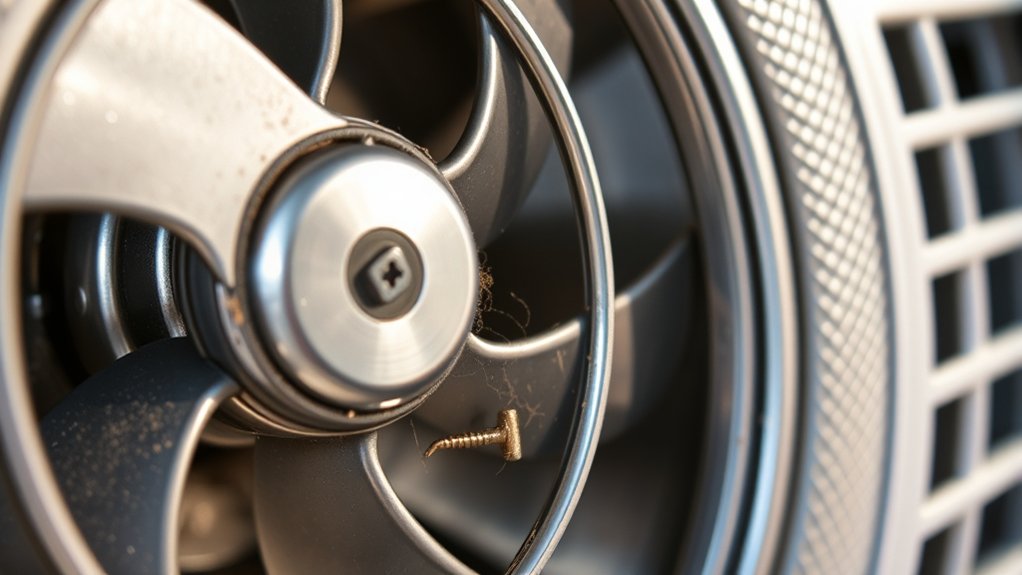
A window air conditioner can start rattling for several reasons, often related to loose or damaged parts. One common cause is a poorly maintained air filter. When the filter gets dirty or clogged, airflow is restricted, making the unit vibrate and rattle as it struggles to work efficiently.
Regular air filter maintenance can prevent this issue. Another reason might be thermostat calibration problems. If your thermostat isn’t accurately calibrated, the AC may run unevenly or cycle on and off quickly, causing vibrations and noise.
Also, if the thermostat isn’t sensing temperature correctly, the compressor could turn on suddenly, creating rattling sounds. Tightening loose mounting brackets or panels can also help reduce rattles.
Always check that the air filter is clean and replace it if needed. Make sure your thermostat is calibrated properly to keep your unit running smoothly and quietly.
Check for Loose Parts in Your AC
Since loose parts can cause rattling noises, it’s important to inspect your window AC thoroughly. Start by checking the air filter; a loose or improperly fitted filter can vibrate and create noise. Remove the filter and verify it’s securely in place, replacing it if it’s damaged or dirty.
Next, examine the fan blades and motor mounts for looseness or damage, tightening any loose screws. Check the thermostat settings to see if they’re properly configured. Sometimes, incorrect settings can lead to unusual operation and vibrations that sound like rattling.
Check fan blades, motor mounts, and thermostat settings to prevent rattling noises and ensure smooth operation.
Also, listen for loose panels or screws inside the unit, which can vibrate during operation. Tighten any loose screws or bolts you find, paying close attention to the casing and internal components.
Making sure all parts are secure reduces rattling and helps your AC run smoothly and quietly.
Look for Debris or Obstructions Inside the Unit
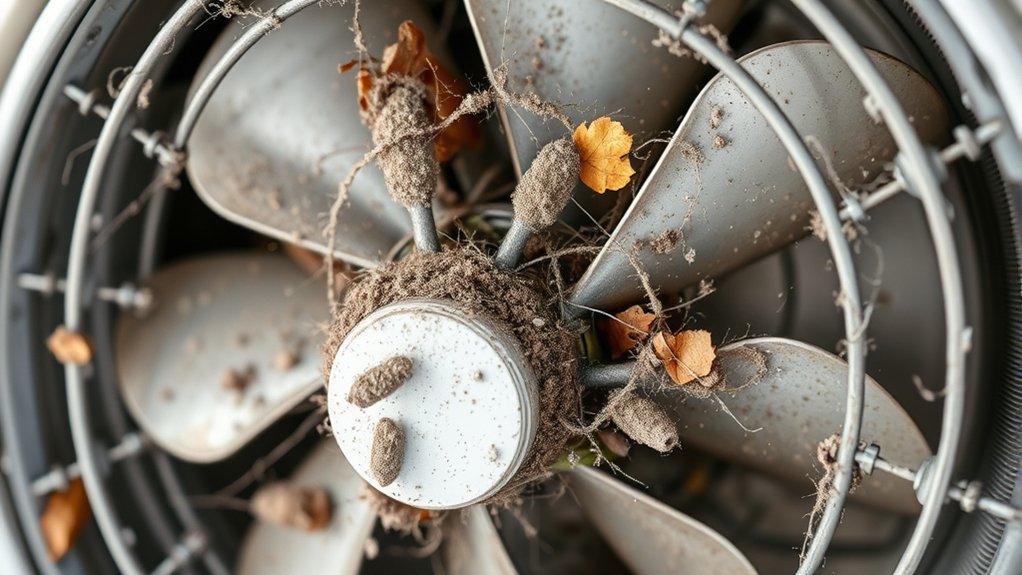
If you’ve checked for loose parts and still hear rattling, debris or obstructions inside the unit might be the cause. Over time, dust, leaves, or small objects can get trapped inside, causing noise and reducing energy efficiency.
These obstructions can also affect indoor humidity levels by disrupting airflow, making your AC work harder. To inspect, carefully remove the front cover and look inside. Clear out any debris with a soft brush or cloth.
| Obstruction Type | Potential Effect |
|---|---|
| Dust & dirt | Reduced airflow, higher energy use |
| Leaves & small objects | Rattling noises, blocked vents |
| Mold or algae | Poor indoor air quality, decreased efficiency |
Regular cleaning keeps your AC running smoothly, minimizes noise, and helps maintain proper indoor humidity. This simple step ensures your unit operates quietly and efficiently.
How to Tighten Mounting Brackets and Screws
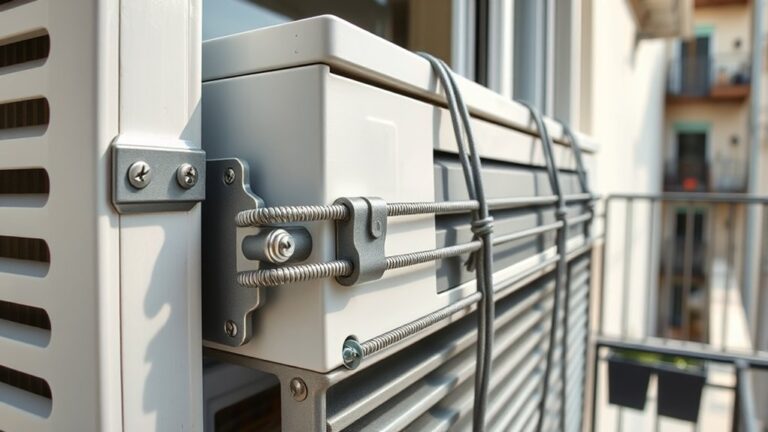
First, find the mounting brackets that are holding your AC unit in place. Once you’ve located them, take a look at all the screws and see if any of them are loose. If you notice any, grab the right tools—like a screwdriver or wrench—and tighten those screws up. Making sure these brackets and screws are secure can really help cut down on any rattling noises you might hear.
Locate Mounting Brackets
To begin tightening the mounting brackets, you need to locate them on your window AC unit. These brackets are usually on the sides or top of the unit, holding it securely in place within the window frame.
Look for metal arms or supports connected to the unit’s sides, which may have screws or bolts. Properly identifying the mounting brackets is important for reducing noise, as loose brackets often cause rattling sounds.
Once you find the brackets, check for any visible looseness or damage. Tightening these brackets will help stabilize the AC and reduce vibrations that cause noise.
Be careful not to overtighten, as this can damage the brackets or the unit. Making sure the mounting brackets are secure is a key step in diagnosing and fixing rattling noises.
Check Screw Tightness
Locate the screws securing the mounting brackets by inspecting the sides or top of your window AC unit. Over time, these screws can loosen, causing rattling noises. Use your fingers or a screwdriver to check each screw’s tightness.
Tightening loose screws keeps the unit securely mounted, which helps prevent dust and debris from entering gaps. Properly secured brackets also improve energy efficiency by reducing vibrations that waste power.
Be careful not to overtighten, as this can strip threads or damage components. Regularly checking and tightening these screws helps your AC run smoothly, quietly, and efficiently.
This simple step is key to preventing rattling and keeping your unit working at its best.
Use Proper Tools
Using the proper tools is essential for effectively tightening mounting brackets and screws on your window AC. A screwdriver or wrench that fits correctly prevents damage and guarantees a secure fit.
Properly tightened brackets and screws help improve energy efficiency by reducing air leaks, which can cause the unit to work harder. They also help reduce noise, as loose components often create rattling sounds.
Avoid using mismatched tools or over-tightening, which can strip screws or warp brackets, leading to more noise and inefficiency. Keep a clean work area and double-check each connection.
Well-secured mounting brackets minimize vibrations and rattling, making your AC quieter and more energy-efficient. Using the right tools guarantees a safe, effective fix that prolongs your unit’s lifespan.
Are Fan Blades Damaged or Unbalanced?
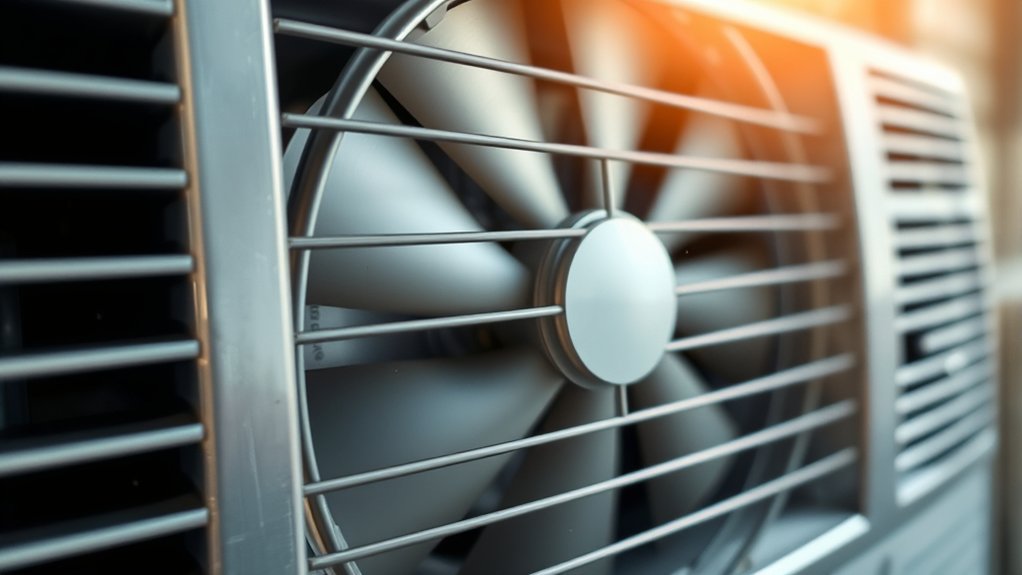
If your window AC is making rattling noises, damaged or unbalanced fan blades could be the culprit. Start by checking the fan blades while the unit runs to see if they’re unbalanced. If one blade looks bent, chipped, or damaged, it can cause vibrations and noise.
Turn off the unit and carefully examine each blade for cracks, dents, or warping. Damaged blades won’t spin smoothly and can lead to rattling sounds. Sometimes debris or dirt stuck on the blades can also cause imbalance, so give them a good clean.
Make sure all blades are securely attached and properly aligned. An unbalanced or damaged fan blade disrupts airflow and creates noise. Fixing these issues quickly can prevent more damage and help your AC run quieter.
Is the Compressor or Condenser Making Noise?
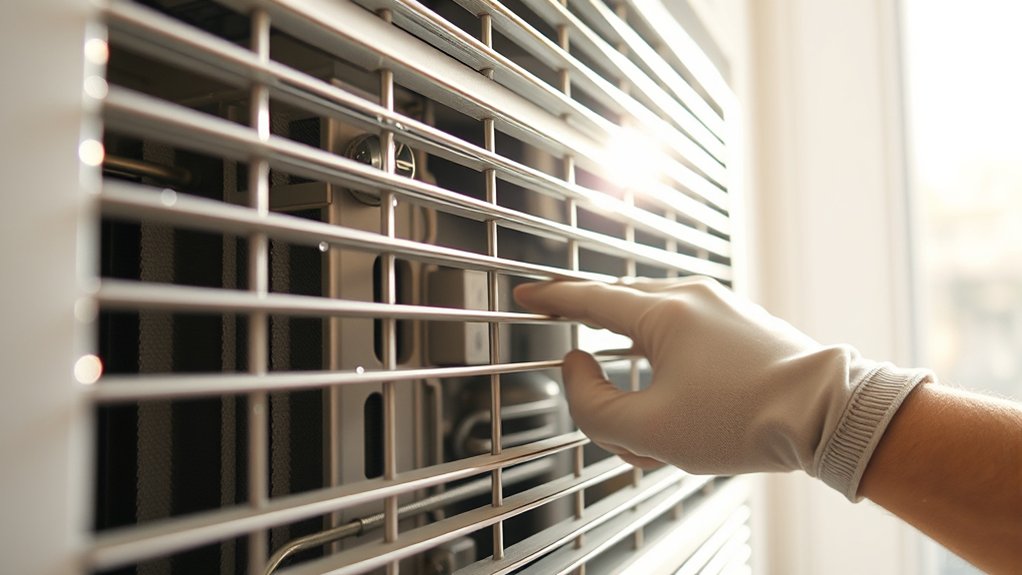
If your AC is making rattling noises, it could be coming from the compressor or the condenser. You might notice loud, persistent sounds coming from the outdoor unit or even some irregular vibrations. These signs can be pretty telling that something’s not quite right.
Pay attention to how it sounds—if the noise is constant or especially loud, it’s a good idea to check if the compressor or condenser needs some attention. Recognizing these cues early can really help you figure out whether you need to call in a professional to get things sorted.
Signs of Compressor Issues
When your window AC starts making unusual noises, a common cause is problems with the compressor or condenser. Signs of compressor issues often include louder noises and less energy efficiency. You might notice it struggling to cool or running constantly, which can increase noise and raise your energy bills.
Look out for these signs:
- Loud rattling or banging sounds during operation
- The compressor cycling on and off frequently
- Reduced airflow or cooling performance
- Excessive vibrations near the unit
- Overheating or burning smells
These signs suggest the compressor might be failing or clogged, making it harder for your AC to run smoothly. Addressing compressor problems early helps keep your unit efficient and quieter.
Condenser Noise Indicators
Determining whether the noise comes from the condenser or the compressor can help pinpoint the problem. Condenser noise often sounds like rattling, banging, or clicking, which may mean loose parts or debris.
You might notice airflow disruption if the condenser fan is blocked or damaged, causing strange vibrations. Listen closely: if the rattling happens when the fan runs, it’s probably a condenser issue.
Check for loose screws, bent fins, or debris blocking airflow. A steady, loud noise that gets worse when the fan runs usually indicates condenser problems.
Knowing these condenser noise signs helps you decide if cleaning, tightening, or replacing parts is needed. Fixing airflow issues and securing loose components can often eliminate rattling noises.
When Are Vibrations Normal, and When Are They a Sign of Trouble?
Vibrations from your window AC are often normal during operation, especially if you notice the unit rattling slightly as it runs. Small, consistent vibrations can be a sign that your AC is working efficiently, helping maintain indoor humidity levels and energy efficiency. However, if vibrations become excessive or loud, it could indicate a problem.
You should be concerned when:
- The rattling worsens or persists after a few minutes of operation
- You notice unusual movements or shifting of the unit
- The vibrations are accompanied by strange noises or smells
- Your energy bills spike unexpectedly
- The AC feels unstable or wobbly during operation
In these cases, it’s best to inspect the unit or call a technician. Normal vibrations usually don’t affect performance, but abnormal ones might reduce energy efficiency and cause further damage if ignored.
External Causes of Rattling Noise to Check Outside
External factors can often cause rattling noises from your window AC, so it’s important to check outside before assuming internal issues. Loose or damaged outdoor parts, like the condenser fan or mounting brackets, can create rattling sounds.
Debris such as leaves, twigs, or dirt might get trapped and cause vibrations. If you notice strange noises during operation, it could also mean electrical faults in the outdoor unit, which might lead to refrigerant leaks.
Blocked or bent fan blades can produce rattling, especially if they hit other parts. Regularly inspect the outdoor coil area for loose screws, debris, or corrosion. Clearing debris and tightening loose parts can often fix external rattling.
What to Do If You Find Damaged Components
If you spot damaged components during your inspection, it’s important to fix them quickly to keep your window AC working properly. Damaged parts can lower energy efficiency and cause annoying rattling noises.
Start by replacing broken fan blades or loose mounting brackets to stabilize the unit. Check for worn-out or broken belts, as they can mess with performance and boost energy use. Damaged coils or vents should be cleaned or repaired to keep airflow smooth.
Make sure to tighten any loose screws and bolts to prevent further issues. Proper installation, like making sure the unit is level, also helps prevent damage and improves efficiency. Ignoring damaged parts can lead to higher bills and more costly repairs later on.
Regularly inspecting and fixing these components keeps your AC running quietly and efficiently. Taking good care of your unit not only extends its lifespan but also maximizes its energy-saving potential.
Tips to Prevent Rattling Noises in Your Window AC
Want to keep your window AC running quietly? First, make sure the mounting brackets are securely attached—this helps prevent any vibrations that can cause rattling. It’s also a good idea to clean the coils regularly; dust and debris buildup can make your unit noisy over time. And don’t forget to check the fan blades — look for any damage or looseness, because those can also lead to rattling. Just a few simple steps like these can really help your air conditioner run smoothly and quietly.
Secure Mounting Brackets
Securely mounting your window AC is key to preventing rattling noises. Proper mounting ensures stability and reduces vibrations that cause noise.
Check that the mounting brackets are tightly secured to both the window frame and the unit. Make sure they are undamaged and properly aligned to support the weight evenly.
Use rubber or foam padding between the brackets and the window to absorb vibrations. Also, ensure the unit is level; an uneven position can lead to movement and noise.
Regularly inspect and tighten bolts and screws to keep the mounting stable. Proper installation not only cuts down on rattling but also helps your AC last longer.
Taking care of these details keeps vibrations in check and ensures your window AC runs smoothly.
Regular Coil Cleaning
Regularly cleaning the coils of your window AC is essential for preventing rattling noises and keeping it running efficiently. Dirty coils make the unit work harder, which can waste energy and boost noise levels.
By removing dust, dirt, and debris, you help maintain good airflow and heat transfer. This reduces vibrations that can cause rattling sounds. Use a soft brush or coil cleaner to gently clean the fins without damaging them.
Consistent maintenance not only extends your AC’s lifespan but also keeps it quiet and efficient. Remember, well-maintained coils play a big role in reducing noise and saving energy.
Regular cleaning is a simple but effective way to prevent common noise issues and keep your cooling experience comfortable and cost-effective.
Inspect Fan Blades
Inspecting your fan blades is a crucial step in preventing rattling noises in your window AC. Uneven or bent blades can cause fan imbalance, leading to vibrations and noise. Check for any dirt, debris, or damage that might disrupt smooth rotation.
If the blades are unbalanced, it can also worsen compressor vibration, increasing noise levels. To avoid this, make sure the blades are clean, aligned, and free of damage.
Remove debris or dirt buildup on the blades. Check for bent or broken blades and ensure they are securely attached. Balance the fan blades if needed and look for signs of excessive compressor vibration.
Regular inspection helps keep your fan blades in top shape, reducing rattling and prolonging your AC’s lifespan.
Frequently Asked Questions
Can Temperature Fluctuations Cause Rattling Noises in My Window AC?
Yes, temperature fluctuations can cause rattling noises in your window AC. When the thermostat isn’t calibrated correctly or refrigerant levels are low, your unit has to work harder, which can lead to vibrations and rattling sounds.
As the temperature changes, different parts of the AC expand or contract, creating noise. To help prevent these noises, regularly check and adjust your thermostat settings and make sure the refrigerant levels are proper.
Keeping these things in check can help your AC run smoothly and reduce those annoying rattling sounds.
How Often Should I Perform Maintenance to Prevent Rattling?
Think of your window AC like a musical instrument. It needs tuning regularly. You should perform maintenance every 1-3 months to prevent rattling.
Vibration sources like loose parts or debris can cause noises, so check for them often. Ensuring mounting stability is key; tighten screws and brackets as needed.
Regular inspections keep your unit quiet and efficient. Just like tuning a guitar keeps its sound harmonious.
Does Age Affect the Likelihood of My AC Making Rattling Sounds?
Yes, age definitely affects the likelihood of your AC making rattling sounds. As your unit gets older, it experiences wear and tear, which can cause parts to loosen or break, leading to rattling noises.
Regular maintenance helps, but older units tend to be more prone to these sounds naturally. If your AC is aging, it’s a good idea to check the mounting, fan blades, and compressor for signs of wear.
Replacing worn parts can help reduce the rattling and keep your AC running smoothly.
Are Electrical Issues a Common Cause of Rattling Noises?
Electrical issues can definitely cause rattling noises in your window AC. Think of electrical parts and wiring as the nervous system of your unit—if they start to loosen or malfunction, they can create vibrations that sound like rattles.
Loose wiring, faulty capacitors, or damaged electrical components can all produce sudden, unexpected noises. Regular inspection and quick repairs help keep these electrical gremlins under control, so your AC runs smoothly.
Can Improper Installation Lead to Persistent Rattling Problems?
Yes, improper installation can cause persistent rattling problems. If your window AC isn’t mounted securely, it lacks stability, which can cause vibrations that lead to rattling noises.
Insulation issues around your unit can also make these sounds worse. Make sure your AC is properly secured and insulated to reduce vibrations and noise.
Proper installation helps ensure the unit is stable and minimizes insulation problems, so it can operate quietly and efficiently.
Conclusion
Once you’ve checked for loose parts, debris, and damaged blades, your window AC should hum smoothly again, like a gentle breeze on a warm day. Tighten any loose screws or panels to keep everything secure.
Next, clear out any obstructions around the unit, making sure nothing is blocking the vents or fans. This simple step can prevent rattling caused by airflow disruptions.
Finally, inspect the blades and internal components for damage. Fix or replace any broken parts you find. With these steps, your window AC will be quieter and more reliable, making troubleshooting for rattling noises easier. Peaceful, steady comfort is just a simple fix away.